Category: Events

Hack/Doc at Swarthmore: Day 2

Buildings beneath a blue skyline
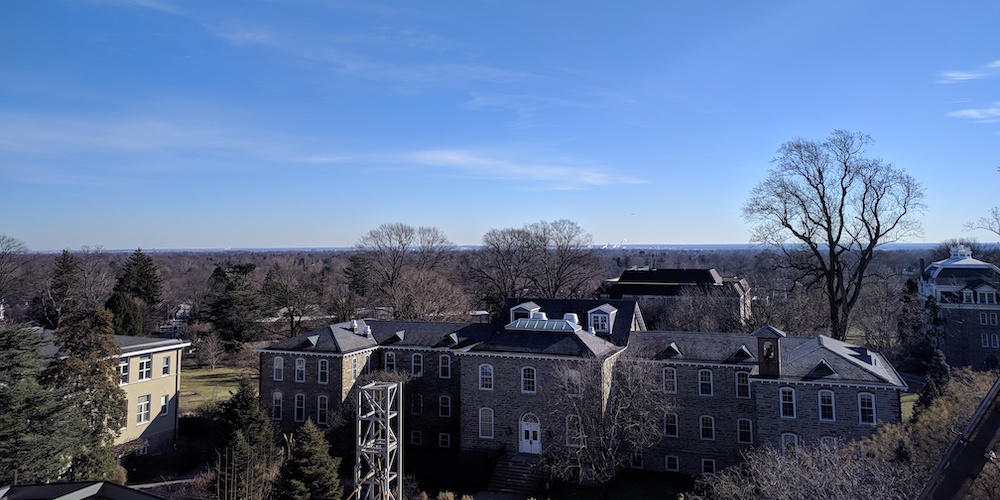
View from the top of Singer Hall. Photo credit: Charles Fulton

Work on the task list continued during Day 2 of the Moodle Hack/Doc Fest at Swarthmore College, interrupted only by an expedition to the Solar Lab on the roof of Singer Hall, which provided a commanding view of Swarthmore’s campus and Greater Philadelphia.

From the task list

We continued to work on yesterday’s tasks and added a few new ones:

LTI integrations: Perusall

Perusall is a social annotation platform. Launching from the LTI module in Moodle will place one into a workflow to create their Perusall account on the fly. It’s important to set the launch container to Existing Window or New Window or it won’t work. The default launch container can be edited for the LTI module in the site admin. Student Perusall accounts are created as students use the tool. The tool also automatically creates an entry for the student in the gradebook with a grade of 100. The service is free for those using their own texts (e.g., PDFs or OERs), but texts available through Perusall require payment as does the ability to brand it for one’s institution.

LTI integrations: Google Assignment

Google Assignments allows you to create and share coursework within the LMS using Google Drive. It wasn’t clear if enrollments/permissions are managed dynamically. When creating from LTI, the grades appear in the Moodle gradebook automatically. The question bank is pretty good; other nice features include a plagiarism tool, the ability to grade all and then submit all at once, rubrics, and the ability to convert Word documents and PDFs to Google Docs while preserving the original. One caveat is that Google Assignments created through the LTI will not show up when going to https://assignments.google.com, and vice-versa.

Moodle Mobile app

Following on from yesterday’s equivocal evaluation of the Moodle Mobile app; it’s best to think of the app as a consumption tool and not a creation/editing tool. It’s certainly student-centric while allowing instructors the ability to grade some items. There is no wholesale gradebook access for instructors, but there is for students in the menu item that looks like an analytics logo. It’s important to manage expectations if your institution decides to roll it out.

Moodle 3.8 review

Michael Harris from Bryn Mawr College encountered a problem that, as far as anyone can remember, is unique in the 10+ years of Moodle Hack/Doc Fest: Moodle’s JIRA tracker has a built-in limit which prevents you from reporting more than one new issue per hour! Michael had been meticulously documenting accessibility problems with the new forum grading feature. Two have been reported so far (MDL-67652 and MDL-67655), with more on the way.

The Course Overview block now supports filtering based on, among other fields, custom course fields. For example, you could create a custom course field named “department”, and then allow teachers to filter based on the department in their dashboard.

Course Merger Helper

Courses created with the Course Merge Helper were not receiving all the default course settings unless the school was using the local course template plugin. Examples of incorrect behavior included no sections in the new course, or the gradebook enabled when it should be suppressed. We’ve squashed this bug and released a new version of the plugin.


Hack/Doc Fest Winter 2020 at Swarthmore College: Event page | Day 1 | Day 2 | Day 3
Hack/Doc at Swarthmore: Day 1

Wayfinding signage on a glass door
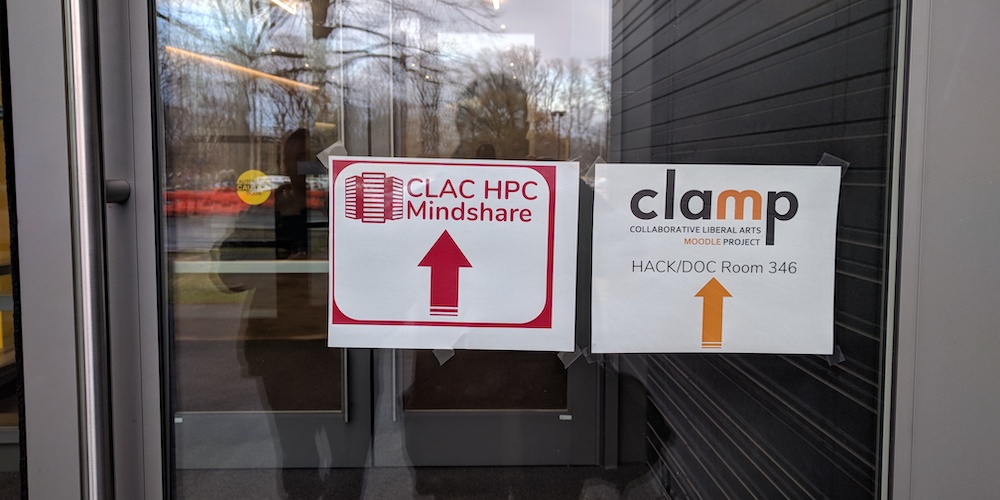
Wayfinding for Hack/Doc and the CLAC HPC Mindshare. Photo credit: Charles Fulton

The biannual Hack/Doc Fest is being held at Swarthmore College in Swarthmore, Pennsylvania. The event kicked off on Wednesday, January 8, 2020, and runs through Friday, January 8. The following tasks are queued up for Hack/Doc (very much subject to change):

  • Evaluating Moodle 3.8, which was released last November
  • Improving the Roster report to support pronouns
  • Taking a fresh look at the Moodle Mobile app
  • Improvements to the file accessibility block

This year the Hack/Doc Fest overlaps, physically and otherwise, with CLAC’s high-performance computing (HPC) mindshare, taking place on the lower level of Singer Hall. Rumors of superior lemonade at the CLAC craft table may–or may not–have led to direct action around lunchtime.

From the task list

Moodle 3.8 Liberal Arts Edition release

The first Moodle 3.8 LAE release is ready for testing. Moodle core continued its revamp of the forum module, which began with Moodle 3.7. Fortunately, this required far fewer changes to Anonymous Forums this time around!

Moodle 3.8 review

One new feature in Moodle 3.8 is the ability to grade forum posts. Evaluating this feature produced Hack/Doc’s first bug, a browser conflict in Safari. That issue aside, and presumably it’ll be fixed soon, the feature is a significant improvement over the old workflow. It presents a user-by-user view of forum posts and presents the teacher the ability to give that user a grade for the forum, based on their contributions. It’s very similar to the assignment grading view. The forum also supports a nested view of the discussions now. This appears to work as expected showing primary forum posts with the nested post, open and visible below. The threaded view shows the reply post below the original but it is closed and only viewable by clicking to open it. This worked in the Mobile app as well.

Moodle has also taken the first steps toward core support of H5P. H5P is an interactive, web-based content authoring tool, and a perennial subject at Hack/Doc Fest (Brandeis, Hampshire, Lafayette). At this point, the core support complements the existing H5P activity plugin, rather than replacing it outright. The new core functionality allows you to add H5P content to Moodle as you would a page or a label, but you can’t yet use it to author content within Moodle. It also adds an Atto button for easier embedding. For now, if you’re already using the H5P plugin, you’ll want to keep doing so.

Moodle Mobile app

No one’s quite sure when CLAMP first kicked the tires on Moodle’s Mobile app (there have been several), but it may have been at the Winter 2012 Hack/Doc at Tulane, where we described it as “lackluster.” We’ve looked at it off and on since, and a number of CLAMP schools now have it enabled and report few support issues. This time around we noted a few positives and challenges:

  • There are some accessibility challenges related to color contrast. It may be possible to mitigate these with a custom CSS file.
  • The default behavior is still to sync changes on Wi-Fi only, but it’s possible for the user to change this behavior.
  • Assignment submissions worked well.
  • Login with institutional single sign-on is smooth and the login persists.
  • Push notifications have to be configured server-side and there’s a lot to review there.

The consensus in the room was that there was no downside to turning on support for the app, though no one planned to make a big push to encourage adoption.

Roster report

We discussed ways to make the Roster report more flexible, and Sharon Strauss from Haverford raised the possibility of giving it a capability similar to Name Coach, which allows students to record the pronunciation of their names. One option would be to have a custom field with the attached audio, which could then be exposed via the report.


Hack/Doc Fest Winter 2020 at Swarthmore College: Event page | Day 1 | Day 2 | Day 3
Join Us for Moodle Hack/Doc Fest, Winter 2020

CLAMP Moodle Hack/Doc Fest, Winter 2020 will be held Wednesday, January 8 through Friday, January 10, 2020, at Swarthmore College in Swarthmore, Pennsylvania. CLAMP’s Hack/Doc Fests are twice-yearly unconference-style events dedicated to improving the Moodle experience for liberal arts colleges.

The lodging deadline is Monday, December 9, 2019. The event registration and travel grant application deadlines are Friday, December 13, 2019.

Hack/Doc at Smith: Day 3

Train tracks and bike path head into the distance
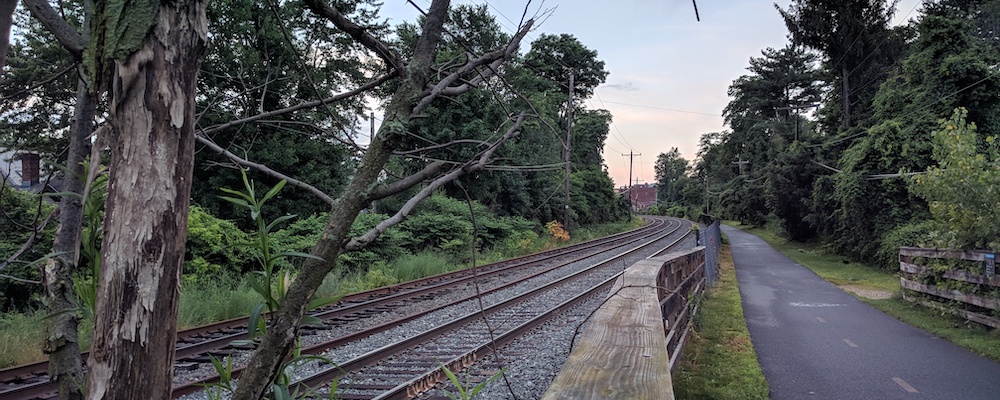
End of the road for this summer’s Hack/Doc. Photo credit: Charles Fulton.

The last day of Hack/Doc, as usual, was a bit shorter due to attendee travel plans. We wrapped up around lunch time after some discussions about Moodle 3.7, Quickmail, and “blockless” courses.

Moodle 3.7

Chad Bergeron confirmed, following on on the previous day’s testing, that rotating a PDF in an assignment does not rotation the associated annotations, and reported the issue to core: MDL-66030. This is a comparatively minor issue, and on the whole attendees were pleased with the latest Moodle release.

Quickmail and going “blockless”

Menu with links
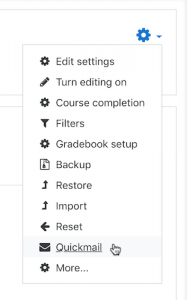
Quick in the settings dialog in Boost

With Boost becoming the default base theme many schools are adopting it or a Boost derivative. While Boost does support blocks, there’s only one columnar block region now (on the right), and core’s clearly stepping away from blocks as a pattern. This creates challenges if there’s integral functionality, like Quickmail, which is wrapped up in a block (largely for historical reasons).

For Quickmail, Lafayette College addressed this by making two changes:

  • Adding functionality to extend the default Course administration navigation to include a link to Quickmail by default, regardless of whether the block is added to the course.
  • Improving the internal navigation of Quickmail so that the links to all sub-pages are available from every sub-page.

Teachers can still add the block if they wish, but they can still use Quickmail in their course without it. This approach could be followed with any other “block” which uses the block interface for navigation but stores or displays its content independently of the block.

And that’s a wrap for this summer’s Hack/Doc at Smith College. Warm thanks to Joe Bacal and Smith College for their outstanding hospitality this week. If your institution is interested in hosting a future CLAMP event, please consider filling out our host interest form.


Hack/Doc Fest Summer 2019 at Smith College: Event page | Sprint | Day 1 | Day 2 | Day 3

Hack/Doc at Smith: Day 2

People sitting around a conference table
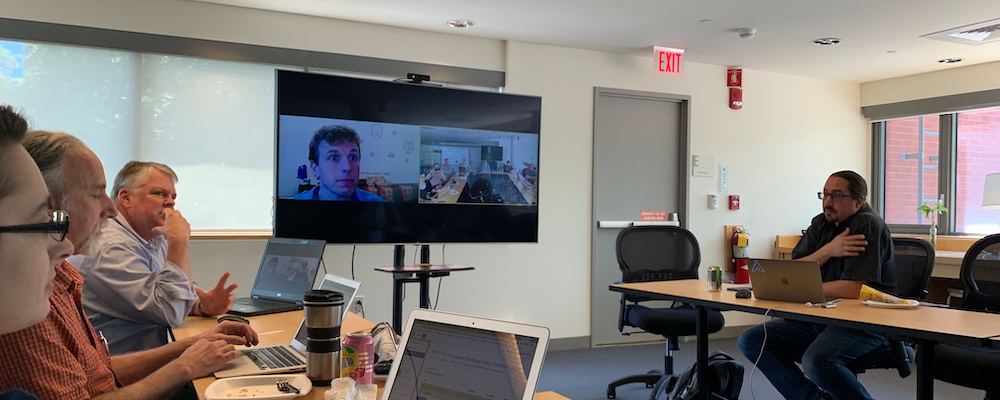
Andrew Ruether joins us via Zoom to discuss accessibility. Photo credit: Joe Bacal

Work on the task list continued during Day 2 of the Moodle Hack/Doc Fest at Smith College, punctuated by two lunchtime presentations from members of the community.

Lunchtime presentations

Darren Hall from Occidental College presented on the ACRL IL Framework and how they’re working to map each of the frames to Moodle competencies, and then associating activities/assignments/projects with those competencies.  Individual faculty could then add this competency to their course, but the conversation would have to be driven by instructional technology and librarians. Darren has created a document, Setting Up and Using Competencies, which illustrates the work behind this implementation effort.

Andrew Reuther from Swarthmore College called in for a group discussion of next steps for Swarthmore’s PDF accessibility tool. We were also joined by Rob Eveleigh, Five Colleges EIT Accessibility Coordinator. Swarthmore is still working on interface for administrators for system-wide status and reporting. They’re looking for a way to identifying bad OCR in files, possibly via spell-checking. There was also a discussion about CLAMP hosting an accessibility server on AWS for the benefit of its member schools. Dan Wheeler has created an ad-hoc report for aggregating results.

From the task list

We continued to work on yesterday’s tasks and added a few new ones:

Moodle 3.7 review

We ran down the list of new features in Moodle 3.7 and found that they mostly worked as advertised: improved printing from the book module, the new test email feature (would have been handy for the CME migration to AWS), the various messaging interface improvements, the new Boost-based “Classic” theme, PDF rotation, and starring/sorting forum discussions.

Asynchronous backup and restore mostly works. This new feature, which must be enabled by the site administrator, creates a background task for backing up or restoring a course. This eliminates the timeouts which can occur with large courses. While backups are in progress, a user with editing turned on is warned not to make changes to a course. No such warning is issued to a user when a restore is in progress. We did find one bug: if you choose to delete a course when restoring asynchronously, the course will not be deleted and the new and old content are merged. CLAMP has reported this issue to core as MDL-66021.

Moodle added custom course fields: MDL-57898. These are similar to custom user profile fields: you can define different types including checkbox, date/time, dropdown list, short text, or text area. The fields can be grouped into categories, which affects how they’re displayed on the edit course page. Visibility options include visible to students, visible to teachers, or hidden. The fields appear on course listing pages such as the default Site home or a course category page, but not on the course overview dashboard. This makes it hard for students to find this information. It’s not possible to filter on these fields either. The intended public use case is exposing them to global search.

Fordson

Fordson is a Boost theme with innumerable settings and fiddly bits. Several CLAMP schools are running it or switching to it for Fall 2019. Mount Holyoke compiled and shared a document with their standard settings: Fordson Theme Settings from Mount Holyoke.


Hack/Doc Fest Summer 2019 at Smith College: Event page | Sprint | Day 1 | Day 2 | Day 3