
CLAMP held its Summer 2026 Hack/Doc Fest at Kalamazoo College in Kalamazoo, Michigan. This was CLAMP’s second visit to K College, after the Summer 2012 Hack/Doc Fest. The primary focus this time around was the new Moodle 5.2 release, plus continuing follow-up on the issues with the question bank in Moodle 5.0. In addition to this overview, please see our separate post on changes to the login page.
Issues specific to Moodle 5.2
Question bank
The ongoing changes to the question bank have featured in the last few Hack/Doc Fests. The changes we tested in 5.2 are principally cosmetic/quality-of-life, and they all worked as expected:
- Make question bank categories collapsible: the child categories can be hidden and displayed below their parent categories.
- In-place editing of question bank category names: clicking the pencil icon allows for immediate name modifications.
- On the question bank page show amount of questions for each bank: what it says on the tin.
- Move entire question categories, complete with questions and subcategories, to a different question bank: worked as described.
- Align in-place editing of question names with activities/category name editing behavior: question names were editable in-place and aligned as expected.
Problems remain with importing large question banks from pre-Moodle 5.0 instances. As described in January’s report, importing category-level questions triggers numerous non-fatal warnings that look like errors. We also encountered a problem with asynchronous backup/restore and questions that will be described below.
Asynchronous backup/restore of quizzes
We tested restoring a large Moodle 4.5-era course with a large and complex question bank. The restore failed, and caused the development server to run out of memory and crash. There are two bugs in play here. One, is that the backup/restore subsystem can get stuck in a loop and run out of memory. A mitigation of that problem is described in MDL-81511. We tried both patches and they both worked.
The underlying problem is less clear. We think the issue comes down to the following category structure in the associated question bank:
- Parent category 1 (1+ questions)
- Sub-category 1 (1+ questions)
- Parent category 2 (1+ questions)
- Sub-category 2 (0 questions)
- Sub-category 3 (0 questions)
- Sub-category 4 (1+ questions)
- Sub-category 5 (1+ questions)
- Sub-category 3 (0 questions)
- Sub-category 2 (0 questions)
Attempts to reproduce the issue with a bare-bones structure matching the above were unsuccessful. Modifying the original backup by adding a question to the first empty category did resolve the issue. We didn’t report the problem to HQ yet because we hadn’t narrowed it down sufficiently.
Marking workflow
Moodle is starting to make a push around the marking workflow feature (MDL-86006). We looked at this in 2014 and thought it could be “handy.” The marking workflow now supports multiple markers (read: graders) and grade calculation methods.
Enabling Marking workflow in an assignment provides a workflow that requires grades to go through a series of stages before they’re released to students. A mark is a separate value (a “provisional grade”) set by a “marker.” Markers need to have the role of teacher or non-editing teacher and they are allocated to mark (not grade) specific students. The new functionality in 5.2 is that you can now have multiple markers provide a mark for a single assignment.
This seems like it could be particularly useful in large courses with TAs. The marking workflow does not work with rubrics.
Completion conditions
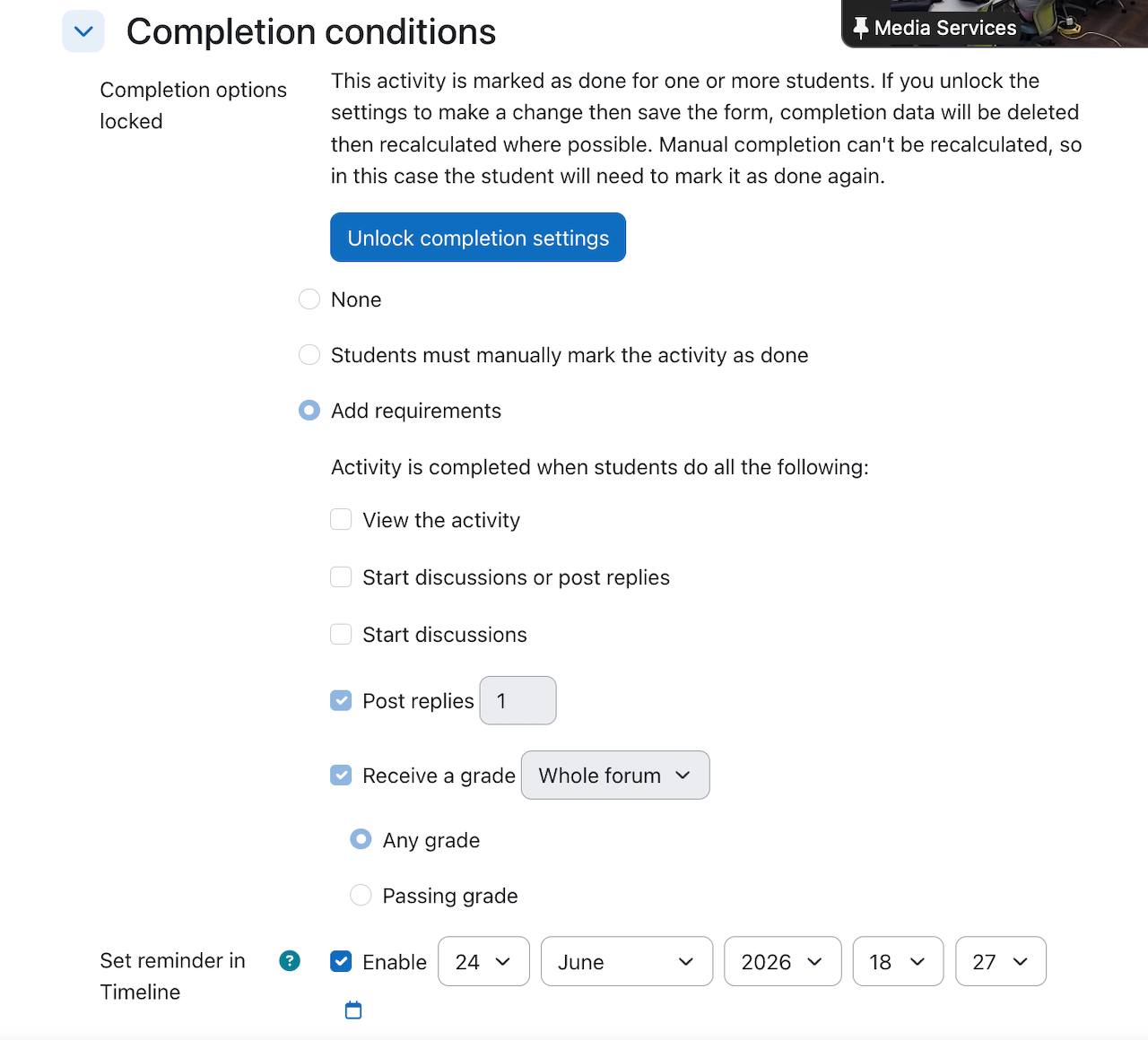
The completion criteria, activity dates, and completion actions are reorganized to sit prominently at the top of the activity page. If you were to set a completion requirement for a forum that is also graded, students can check off the completed activity even though they didn’t actually complete the forum. They won’t get a grade. The instructor has to add the grade manually. So the completion requirement is just used as a checklist.
Documentation updates to consider for 5.2
In this section we’re flagging areas where you might want to update your internal documentation when upgrading to Moodle 5.2.
- Q&A Forum: acts more like a live forum – could be used for polling
- Marking Workflows for the Assignment Activity: doesn’t work for rubric grading.
- New login screen: for schools not using SSO authentication methods
- Question Bank: can edit categories directly now, drag and drop/move categories, can see questions used in course, move categories to another course, etc.
- Completion Requirements: act more as a visual checklist. Can be tied to competencies.
- Restricted Content: clearer information displayed. The process is still the same but may need to update screenshots to reflect the new display.
- Subsection anchor links: screenshots may need to be updated to reflect the new look. The new option to duplicate subsections should be reflected
Other issues
Timeline/Calendar/Upcoming Event and overrides
We’ve noted before that there are inconsistencies related to the Timeline, Upcoming Event, and Calendar blocks and the presentation of user and group overrides in assignments. There are at least three tracker items addressing aspects of these problems:
- MDL-77441: Activity overrides NOT display correctly in the Timeline block 4.1
- MDL-79989: Group overrides dates/times do not display correctly in calendar, upcoming events, and timeline for students in courses IF they are enrolled elsewhere in the site as a teacher
- MDL-81004: Timeline doesn’t check the group or individual exceptions dates in some date filters
We think we’ve identified the root problem and we’ve posted a patch to MDL-77441 for review. It’s complicated to explain, but at root the problem manifests if the you’re looking at a particular window (say the next 7 days), and the original event falls within that window but the override does not.
H5P activity accessibility
We’ve looked at H5P before, most notably at the Winter 2021 Hack/Doc Fest. This time around we looked the accessibility of various activities, and how to disable individual types at the site level. It’s important to note that you can download types from h5p.org that were not evaluated for WCAG 2.1 AA conformance and are not maintained by the core team. All content types are enabled (visible) by default, but not all are recommended by the core team.
You can disable (hide) a content type in Site administration > General > H5P > Manage H5P content types. There’s a significant caveat, however. The H5P Page type (formerly called “Column”), allows adding H5P types to itself and ignores whether the type is disabled at the site level. This is a long-standing bug (MDL-77675) and hasn’t yet been addressed.
Off-label uses of course import and restore
It’s possible when restoring a Moodle course from a backup file to advance the dates of the resources to match the start and end date of the target course. To do so, you need to make the following choices when restoring the course:
- From the restore menu select any of the options, noting that the options to create a course will require you to set a start date.
- For any restores into existing courses, Set “Overwrite Course Configuration” to “Yes”.
- Uncheck the overwrite checkboxes for short name, full name, and start date.
In this configuration, the restored resources will have start and end dates recalculated from the target course’s start and end date, as opposed to whatever was in the backup. This is an alternative approach to using the Edit Dates report to bulk-update dates after the restore.
All well and good. The challenge is that this workflow isn’t possible when importing from an existing course, which means it’s not available to faculty if their course backup size exceeds the maximum upload size for the server. This functionality has now been requested in MDL-89095.
Remove reliance on color to convey information in Calendar View
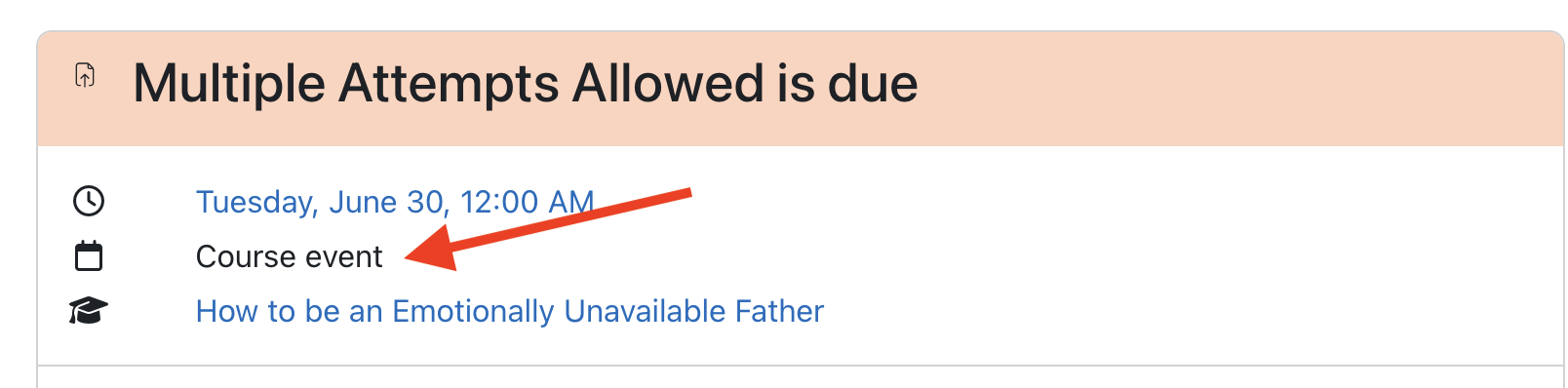
In the full calendar view (/calendar/view.php) there are three view options, Month, Day and upcoming events. The events key in the Block Drawer shows there are 6 types of events and each one has a corresponding color that the event will appear on the calendar/event in the different views. In Day and Upcoming Event View there is an indicator of what type of event it is being viewed:
In the calendar view the only indicator of event type is the color unless you click an event and bring up the modal dialog which brings up a view similar to above:
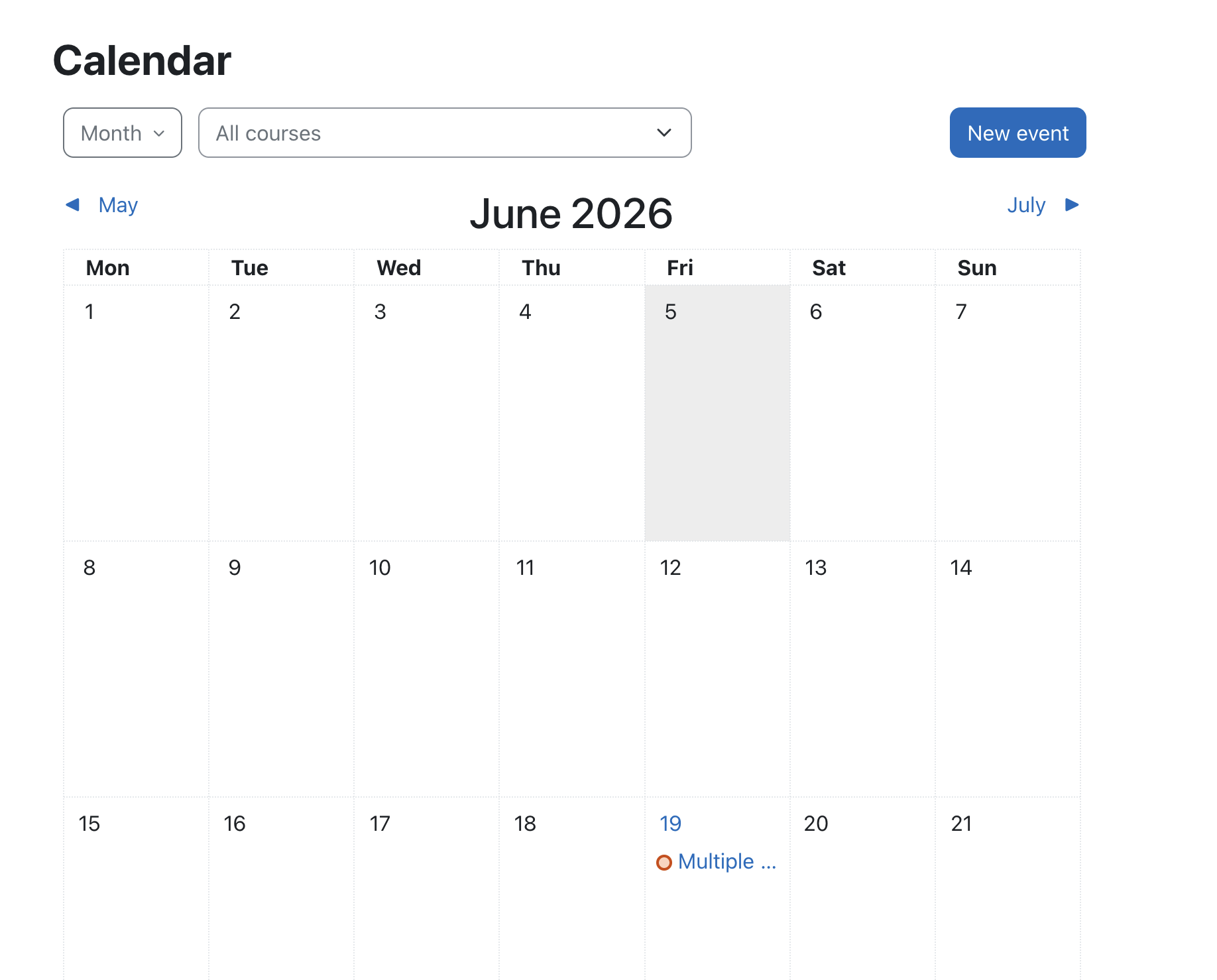
WCAG states color shouldn’t be the only means of conveying information. On the Calendar View, it would be ideal if this color information was backed up by an image or other form of secondary encoding. This would facilitate information transfer for color vision deficient (colorblind) users. We’ve reported it to HQ as MDL-89011.
H5p content types not available on clean install
Using h5p requires the content types. These need to be downloaded. There’s a monthly task for keeping these in sync (\core\task\h5p_get_content_types_task). This is scheduled to run at a random time on the first of the month, so you could potentially go a month without types available on a new install. There’s a tracker item (MDL-80031) but no workaround beyond running the task manually.
Summary
We took an informal poll of seven participating schools as the Hack/Doc Fest wrapped up. Four were planning on upgrading to Moodle 5.1 for the Fall 2026 semester, two were planning to stay on Moodle 4.5 for another year, and one was planning on upgrading to 5.1 or 5.2. No one had any real concerns about running on either 5.1 or 5.2. The relative lack of major issues in 5.2 permitted us to take some deep dives into longer-standing issues, such as the override display issue, H5P modules, and calendar accessibility.