
Category: Events

Hack/Doc at Brandeis: Day 1

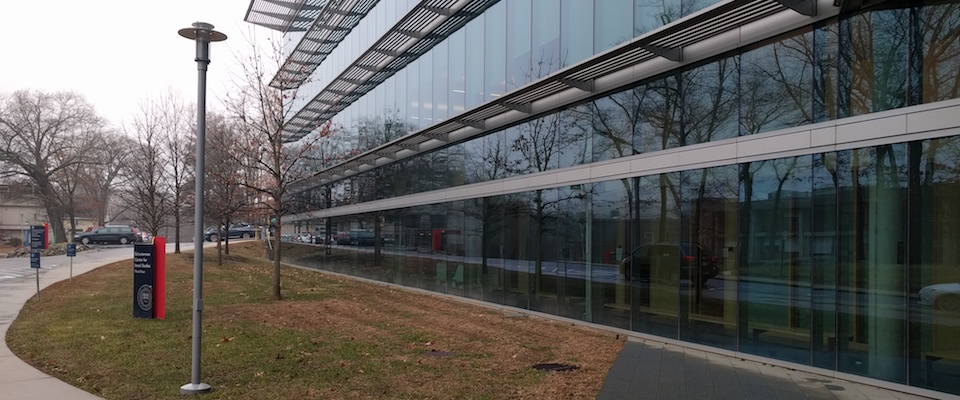
The Mandel Center, our home for the next few days. Photo credit: Charles Fulton

At Day 1 of Moodle Hack/Doc Fest at Brandeis University we began tackling the ever-expanding task list hashed out during Sprint Day.

Lunchtime presentation

Chad Bergeron from Brandeis University demonstrated a plugin they’ve developed called the “Support Staff tool”. At Brandeis, the level 1 Help Desk is involved in Moodle support. This tool allows support persons to access courses temporarily to provide support. Permissions varying between student staff and full time staff, and access is revoked automatically after three hours. This makes it easy to grant, manage, and audit support staff access without granting system-wide privileges. Brandeis intends to release the tool on the Moodle plugins repository this year.

From the task list

Moodle 3.6 Liberal Arts Edition release

The first Moodle 3.6 LAE release is ready for testing. The only significant change was integrated the final version of the “grace period for classifying in progress courses” feature. CLAMP successfully added this feature to core Moodle last fall.

Review course end-date options

We’ve submitted a patch to Moodle core which creates the desired functionality. You may comment on the proposal at MDL-64517.

Alternative/preferred name templating

We’ve submitted a patch to Moodle core which gives administrators more flexibility in configuring how alternative names are displayed. This is particularly helpful for users who have preferred first or last names defined. You may comment on the proposal at MDL-44724.

Course Overview block language

Confirmed that the revamped Course Overview block in Moodle 3.6 dropped “favorites/favourites” in favor of “starred” courses.

Allow to open files in mod_folder without downloading

Moodle HQ has proposed various enhancements to CLAMP’s patch, which CLAMP’s developers are now reviewing. You may comment on the proposal at MDL-28501.

PDF file accessibility tool

Swarthmore has several improvements in progress. The tool will prioritize new uploads first, as opposed to backlog. They’re also working on an administrative interface.

Filtered course list

Several new features were under development, including having the expanded state persist across page loads.

Moodle 3.6 review

Context freezing is a new experimental feature which lets an administrator make categories, courses, or blocks “read-only.” This has promise, but there are some limitations. There is no visual indication to the teacher or student that the course is frozen, and “freezing” prevents the teacher from creating a backup of the course. Students cannot see their grades. Moodle HQ is collecting new ideas for this functionality in MDL-63984. One new issue CLAMP discovered is that students may continue to mark items “completed” for tracking purposes in a frozen context. Activities cannot be frozen from the course page in Boost; you need to click through to the activity and then click the gear to freeze it.

Including media in assignment feedback works fairly well. We saw some problems in Chrome when trying to add multiple recordings to the same field, but it worked eventually. This could be an issue with Record RTC.

Messaging was overhauled in Moodle 3.6. Instructors can group-message students in their courses. The messaging interface itself can overlay on the course page, so you don’t lose your place. It’s much improved compared to past releases.


Hack/Doc Fest Winter 2019 at Brandeis University: Event page | Sprint | Day 1 | Day 2 | Day 3 
Hack/Doc at Brandeis: The Sprint Day

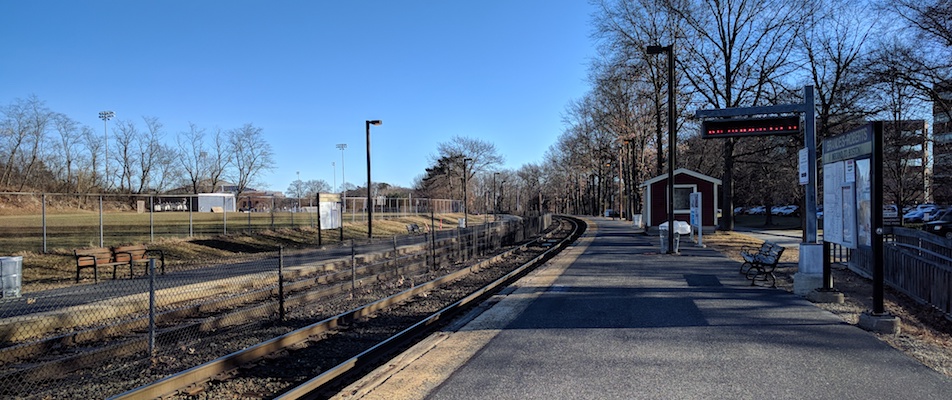
It’s a cool and crisp morning at the foot of Brandeis University. Photo credit: Charles Fulton

PDF accessibility, the Course Overview block, preferred names, and Moodle 3.6 are among the topics discussed during the sprint (half) day at Brandeis.

The biannual Hack/Doc is being held at Brandeis University in Waltham, Massachusetts. The event kicked off on Monday, January 7, 2019 with the sprint day, and runs through Thursday, January 10. The following tasks are queued up for Hack/Doc:

  • Evaluating Moodle 3.6, including changes to the Course Overview block
  • Improvements to how Moodle handles preferred names
  • Evaluating Swarthmore’s PDF accessibility tool
  • Evaluating Brandeis’ Support Staff tool
  • Exploring NameCoach integration possibilities
  • Improving the default behavior of course end dates and the number of sections in weekly course formats
  • Allowing users to view individual files from the folder resource
  • Packaging and testing the Moodle 3.6 Liberal Arts Edition release

We had a long discussion about the best ways to support preferred names, pronouns, and mononymous students. We’re hoping to develop some guidance and patches over the next few days for the first two issues. Mononymity remains a significant challenge.


Hack/Doc Fest Winter 2019 at Brandeis University: Event page | Sprint | Day 1 | Day 2 | Day 3 

Announcing Moodle Hack/Doc Fest, Winter 2019

Moodle Hack/Doc Fest, Winter 2019 will be held Tuesday, January 8 through Thursday, January 10, 2019 at Brandeis University in Waltham, Massachusetts. A pre-Hack/Doc documentation and coding sprint will be held the afternoon of Monday, January 7, 2019.

The lodging and registration deadlines are Friday, December 21, 2018. An additional lodging option is forthcoming.

Announcing Moodle Hack/Doc Fest, Winter 2018

Moodle Hack/Doc Fest, Winter 2018 will be held Tuesday, January 9 through Thursday, January 11, 2018 at Centre College in Danville, KY. A pre-Hack/Doc documentation and coding sprint will be held Monday, January 8, 2018.

The lodging deadline is Friday, December 22, 2017. The registration deadline is Friday, December 15, 2017.

CLAMP Moodle Webinar: Friday, September 22

Please join CLAMP for a webinar presentation which will be held Friday, September 22, from 10:30-11:30 am (CST) in Zoom (https://zoom.us/j/630284326).

Sonya Johnson PhD, professor of Religious Studies at Beloit College, will share about her experience coming to Moodle, anxieties and expectations she had, challenges she faced and how Moodle helped her meet those challenges. She will also share about the ways in which Moodle, the quiz module in particular, supported her pedagogy. Sonya will finally share lessons learned/take-away’s and her future plans for her courses in Moodle.

Future sessions will consist of a faculty member presenting a 20-ish minute session about a particular method or tool they utilize within Moodle for their teaching. Faculty from each of the 30+ CLAMP schools are invited to lead these sessions as we continue with the series.

Each of session will be broadcast live via Zoom for participants at other schools to watch synchronously and hopefully gather faculty for discussion after the presentation. Sessions will also be recorded for those who cannot make the live session, and posted on the CLAMP YouTube channel. Our hope is that members of the CLAMP community are able to schedule a shared viewing of these presentations, whether live or recorded, with members of their own faculty to use as a springboard for discussion of how the presented material could be used at each of your respective institutions.